
You told us what slows you down, and we listened. FutureFund has been rebuilt from the ground up with one goal: making it easier for busy volunteers to get a fundraiser live, sell what they need to sell, and keep parents in the loop.
Whether you run a PTA, coach a team, or manage a booster club, the new FutureFund will feel familiar where it counts and faster everywhere else. Here’s a tour of what’s changed and how to make the most of it.
One platform, one look, for everything you use
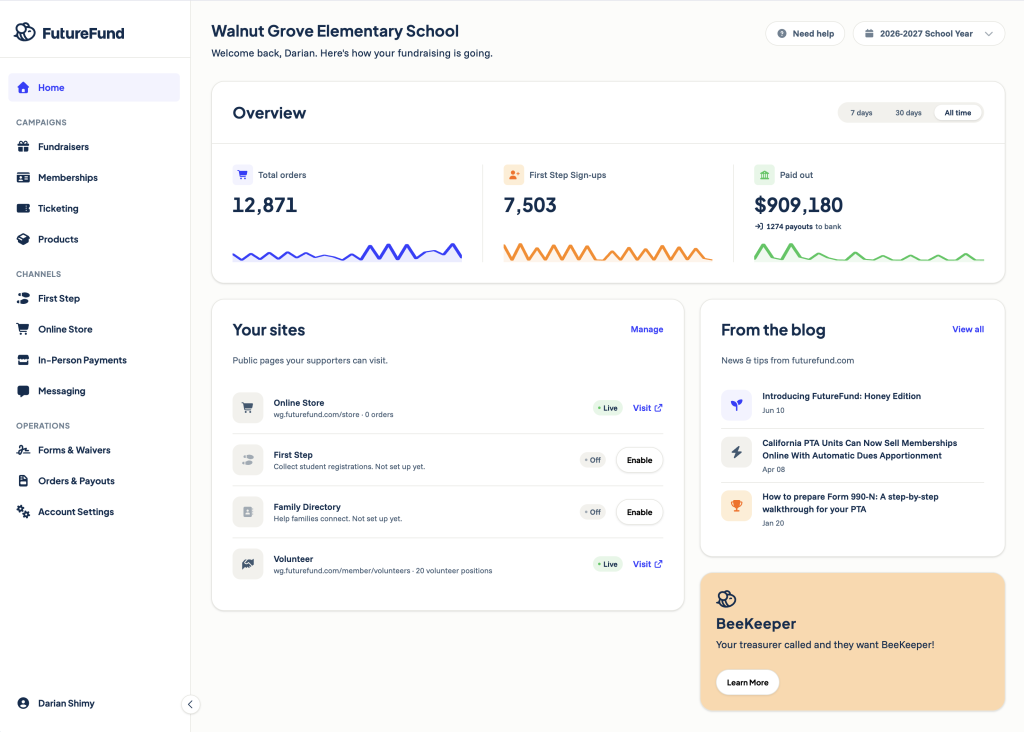
The first thing you’ll notice is our new honey design system: a shared look, feel, and navigation that ties FutureFund, Connect, and BeeKeeper together. If you work across more than one of our products, everything now feels like a single, consistent experience. Buttons live where you expect them, pages share the same layout, and you spend less time hunting and more time doing.
One small rename worth knowing: “Funds” are now “Organizations.” Nothing about how they work has changed. The new name simply reflects how school groups actually use them.
Re-introducing First Step, your all-in-one start-of-year parent journey
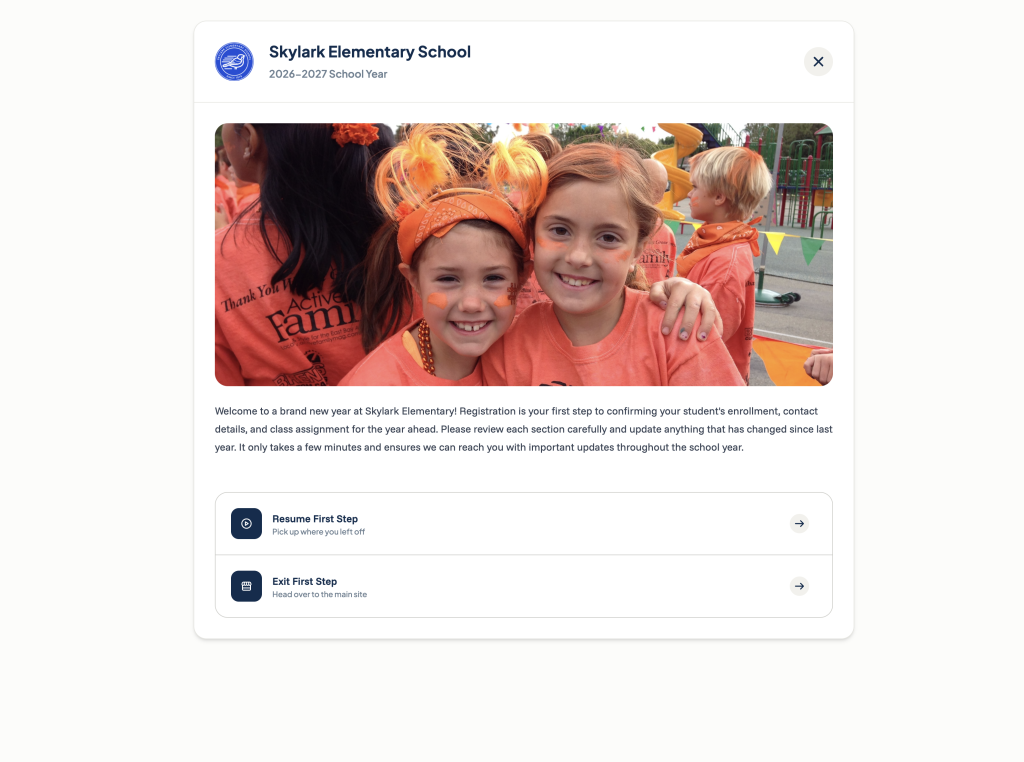
First Step is the guided, fully branded journey your parents move through: sign-up, registration, directory, volunteering, store purchases, and receipts, all in one place. It was already the easiest way to welcome families at the start of the year. Now it’s even smoother.
- Single-page forms: forms now live on one page instead of being scattered across multiple steps. Parents see everything at once, complete it in one sitting, and finish faster with less confusion.
- Preview mode: walk through every page and form exactly as a parent would, no account required. It’s read-only, so nothing gets charged and nothing touches your real records while you explore. Preview mode replaces the old test mode.
- Add from anywhere: push a form or campaign into First Step directly from the form or campaign itself. Build it where you are, add it where it belongs.
- Your brand, your way: add header images and welcome text across your sign-up, checkout, directory, volunteer, receipt, and form pages, and apply your school’s brand color to buttons across your account. Parents see your school, not generic software.
Try it this week: open First Step, switch into preview mode, and walk the journey your families will take this fall. Ten minutes now will save you a stack of questions in September.
Build and update forms with our new drag and drop form editor
The new visual Form Builder lets you drag and drop elements to build exactly the form you want parents to fill out. Add fields, reorder them, and see the result as you build. No more guessing what’s possible or settling for close enough.
Revised navigation that maps to how you use FutureFund
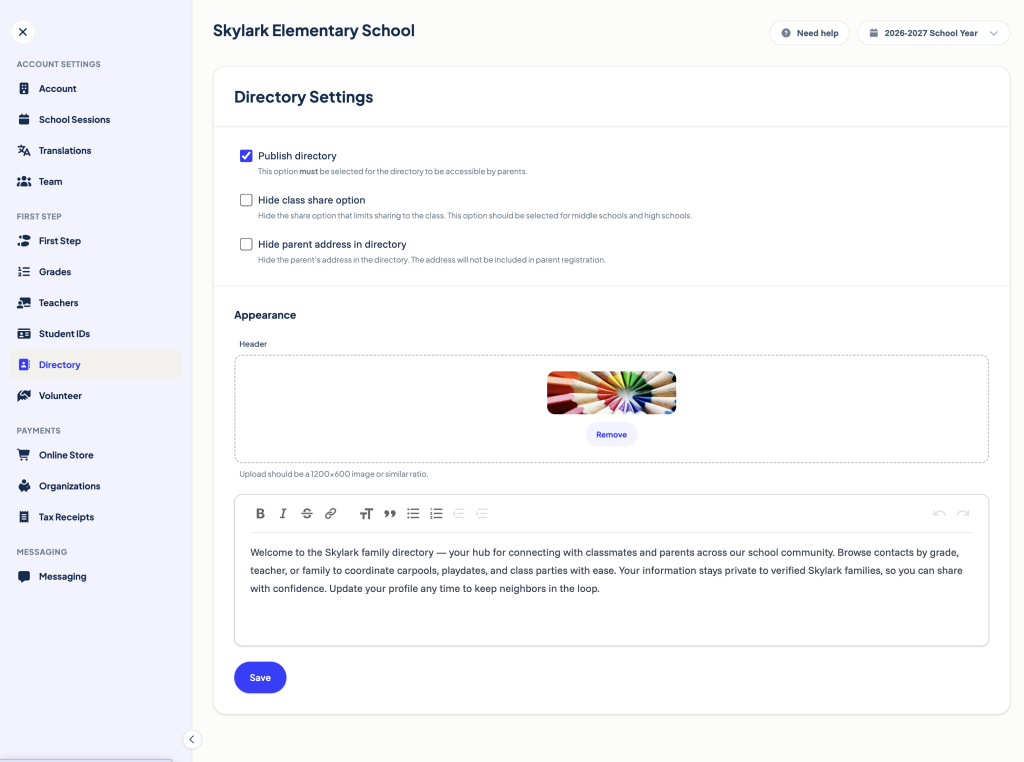
The admin area has a brand new structure built around three simple ideas:
- Campaigns are the ways you raise money: fundraisers, memberships, ticketing, and products.
- Channels are the places you sell: First Step, the online store, in-person payments, and messaging.
- Operations covers the behind-the-scenes work: forms and waivers, orders and payouts.
A few things have new homes. Reports now live under Orders & Payouts, and volunteering and the directory have moved into First Step. Once you make that mental switch, finding things takes seconds.
New and improved ways to raise money with FutureFund
- Auctions: run full bidding campaigns with payments and notifications built in.
- Read-a-thons: track reading minutes for pledge-based campaigns, perfect for one of the highest-earning fundraiser types schools run.
- Corporate matching: now supported right on store items, so employer matches turn one donation into two.
- Memberships: now sit neatly under Campaigns alongside everything else you run.
Smarter, faster payments with a cleaner checkout
Recurring payments (formerly installments) now have a dedicated home where both families and admins can manage them. Families get flexibility, and you field fewer “can I pay this in parts?” emails.
Parents also get more ways to pay: ACH bank debit, pay by check, Cash App, and expanded offline options. SnackBar brings integrated point-of-sale to your concession stand and game-day events. And the redesigned cart shows clear tax and subtotal breakdowns, with proper handling for taxable items.
Updated pricing
- Memberships now follow the ticketing schedule: $1 per membership up to $10, then $0.25 per $5 after that.
- In-person payments get a 1% discount.
- ACH bank debit gets a 3% discount on purchases over $250 (ticket purchases excluded).
- Offline payments, where your school supports them, are available on purchases above $50.
As always, schools keep 100% of what they raise. Small fees are paid by donors, not your school.
Store promotions and easier store organization
Create coupons for a percentage off or a fixed dollar amount, applied when a code is entered at checkout. You can auto-apply coupons to specific users by email, and set limits on uses, minimum purchase, and campaign.
The store also supports subcategories now, a big help for high schools running hundreds of campaigns at once.
Volunteers and the directory, now front and center
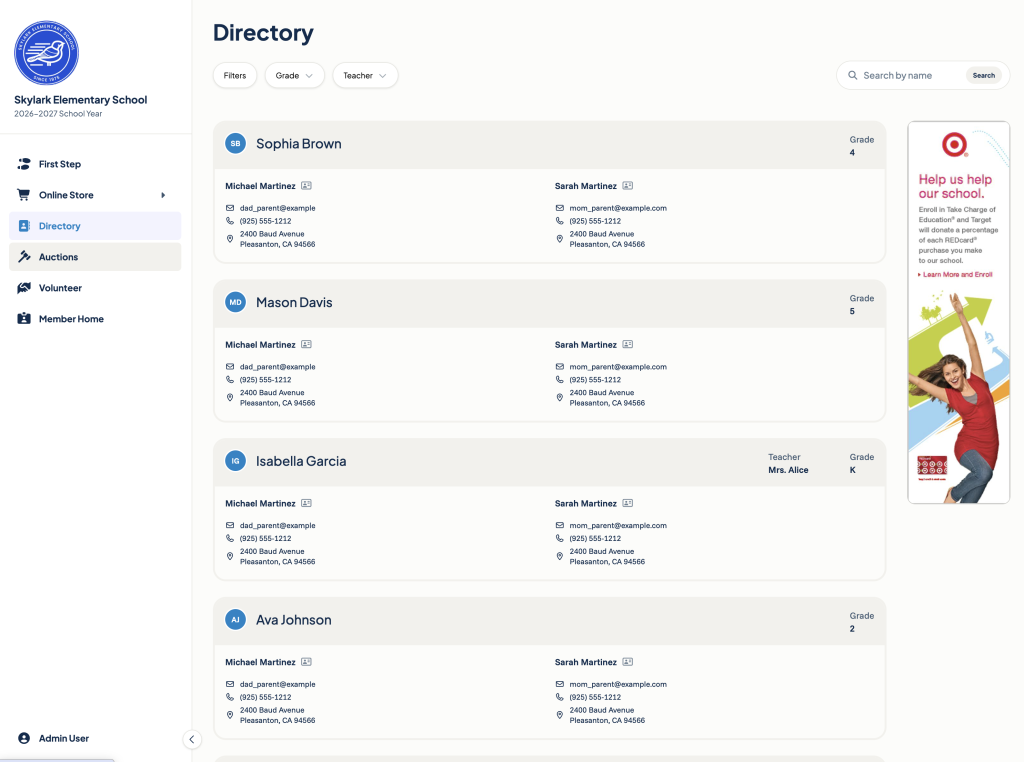
Volunteer coordination with public sign-up now lives in the parent sidebar, so families find opportunities without digging. The parent directory includes admin access and quick filters by grade and teacher, which makes carpools, class parties, and room-parent outreach easier to coordinate.
Hive, the official iOS FutureFund app
Hive, our new iOS app, puts the essentials in parents’ pockets: the school directory, wallet passes for memberships and tickets, and a direct line to send us feedback. It’s powered by a dedicated mobile experience built for speed.
One login with clearer permissions
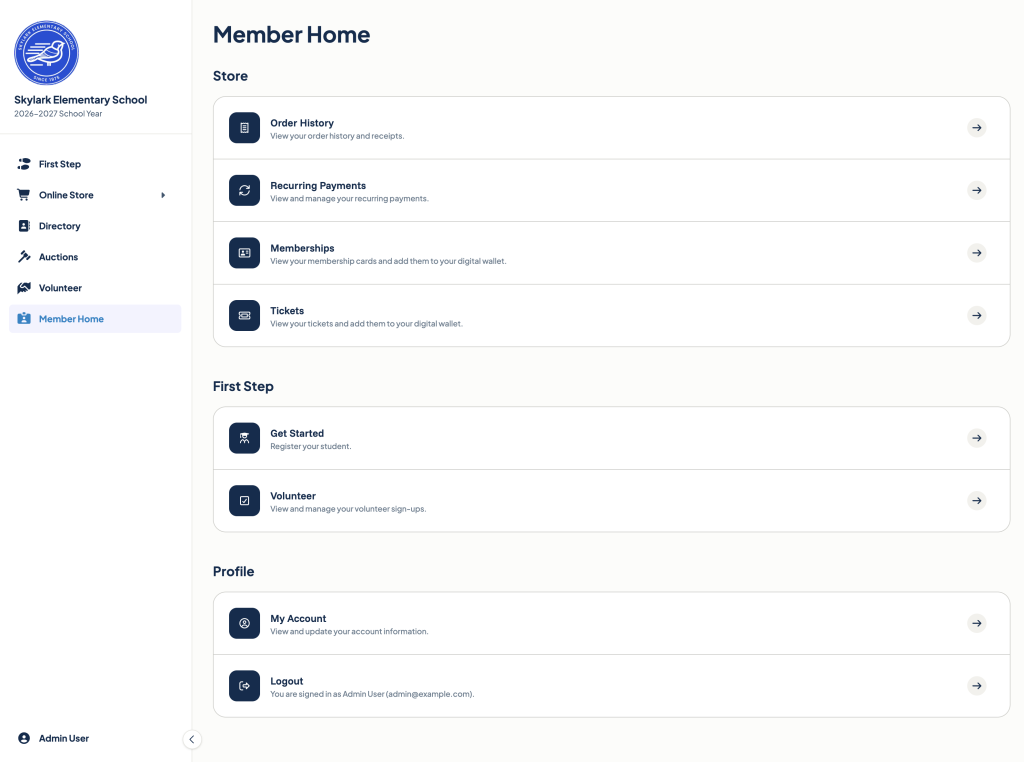
Your FutureFund ID is a single universal login across FutureFund, Connect, and BeeKeeper: same email, same password, everywhere. You can also turn on two-factor authentication, export your data, and delete your data, all from your account.
Permissions are simpler too. Access is still scoped by organization, now with three clear levels: Viewer (read-only), Organizer (read and write without account settings), and Admin (full access). All channel settings now live in one place under Account Settings, so handing off to next year’s board takes minutes, not meetings.
Reporting that respects your time
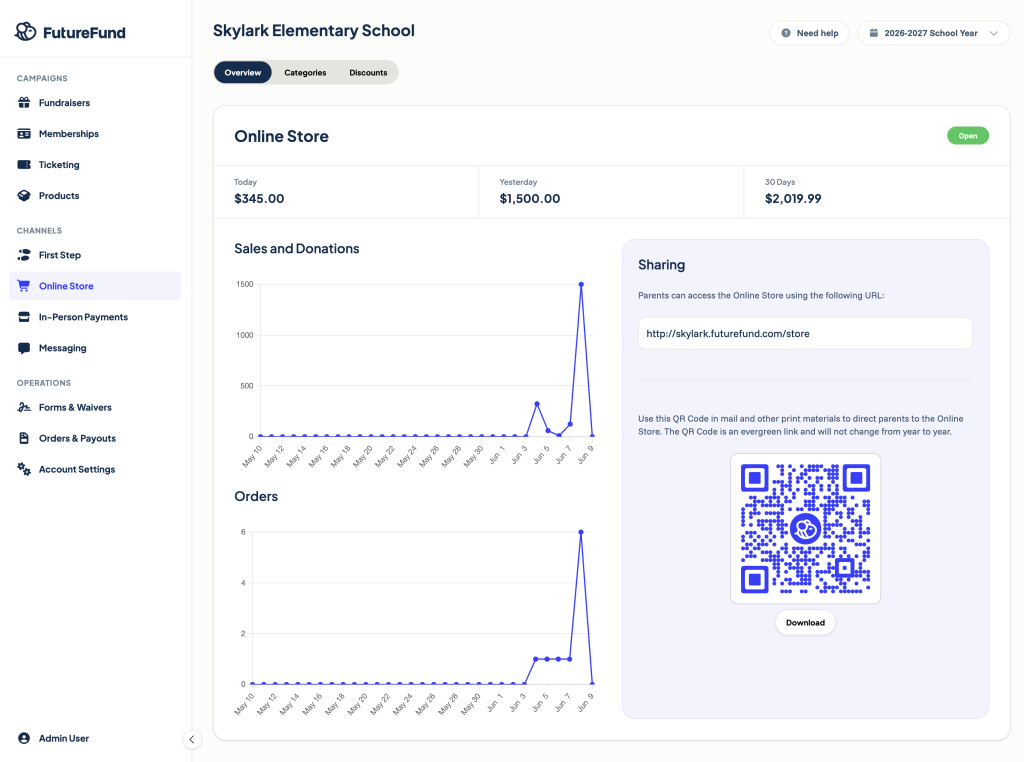
Reports have been overhauled with xlsx exports and saved filters, plus an all-campaigns view under Orders & Payouts. Admins also get notification preferences and outbound SMS with content filtering and opt-in disclosure, so you reach parents without crossing wires.
And more to come!
The new FutureFund is live now. If you already have an account, log in and look around. Everything you’ve built is right where you left it, just easier to find.
If you’re new to FutureFund, joining is free and takes minutes. You’ll be in good company: more than 6,500 school groups raise with FutureFund, and schools keep 100% of what they raise.